
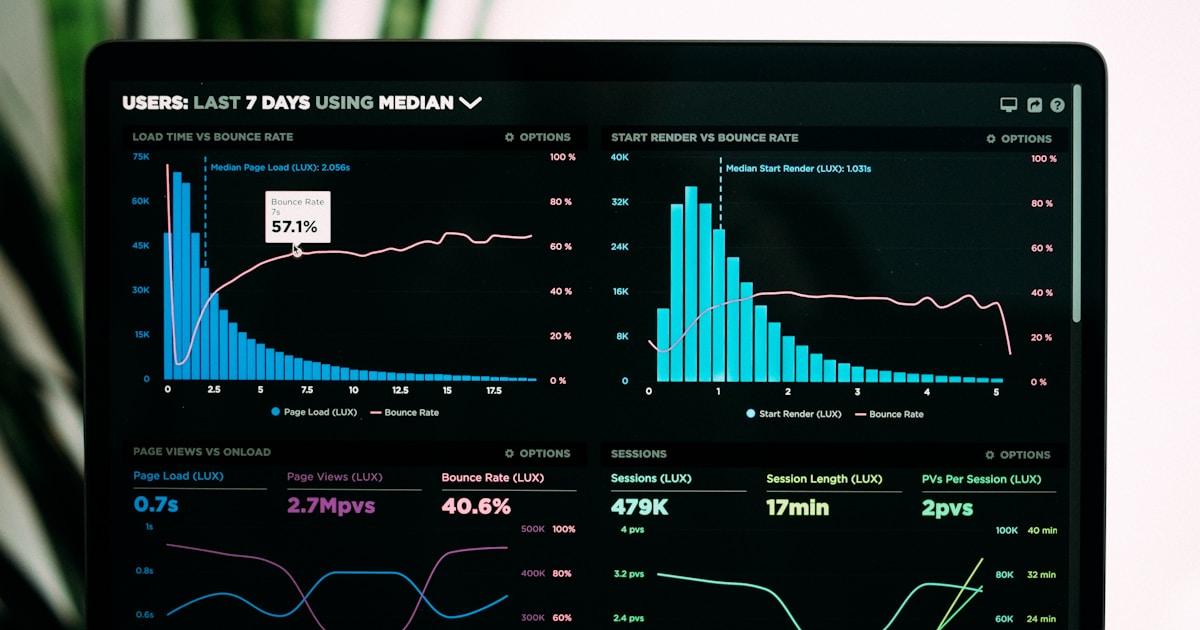
Website performance isn't just a technical metric—it directly impacts your business results. Studies consistently show that faster websites have higher conversion rates, better SEO rankings, and improved user satisfaction.
Why Performance Matters
Let's look at the numbers:
- Amazon found that every 100ms of latency costs them 1% in sales
- Google discovered that 53% of mobile users abandon sites taking over 3 seconds to load
- Walmart saw a 2% increase in conversions for every 1 second of improvement
Measuring Performance
Before optimizing, you need to measure. Focus on these Core Web Vitals:
Largest Contentful Paint (LCP)
Measures loading performance—when the largest content element becomes visible.
- Good: Under 2.5 seconds
- Needs Improvement: 2.5-4 seconds
- Poor: Over 4 seconds
First Input Delay (FID)
Measures interactivity—time from first user interaction to browser response.
- Good: Under 100ms
- Needs Improvement: 100-300ms
- Poor: Over 300ms
Cumulative Layout Shift (CLS)
Measures visual stability—unexpected layout shifts during page load.
- Good: Under 0.1
- Needs Improvement: 0.1-0.25
- Poor: Over 0.25
Image Optimization
Images often account for the largest portion of page weight.
Use Modern Formats
<picture>
  <source srcset="image.avif" type="image/avif" />
  <source srcset="image.webp" type="image/webp" />
  <img src="image.jpg" alt="Description" />
</picture>
Implement Lazy Loading
<img src="image.jpg" loading="lazy" alt="Description" />
Serve Responsive Images
<img
  srcset="image-400.jpg 400w, image-800.jpg 800w, image-1200.jpg 1200w"
  sizes="(max-width: 600px) 400px,
         (max-width: 1000px) 800px,
         1200px"
  src="image-800.jpg"
  alt="Description"
/>
JavaScript Optimization
Code Splitting
Only load the JavaScript needed for the current page:
// Dynamic import for code splitting
const Component = dynamic(() => import('./HeavyComponent'));
Defer Non-Critical Scripts
<script src="analytics.js" defer></script>
Tree Shaking
Import only what you need:
// Bad - imports entire library
import _ from 'lodash';

// Good - imports only needed function
import { debounce } from 'lodash-es';
CSS Optimization
Critical CSS
Inline critical CSS for above-the-fold content:
<style>
  /* Critical styles for initial render */
  .header {
    ...;
  }
  .hero {
    ...;
  }
</style>
<link
  rel="stylesheet"
  href="full.css"
  media="print"
  onload="this.media='all'"
/>
Remove Unused CSS
Use tools like PurgeCSS to eliminate unused styles:
// postcss.config.js
module.exports = {
  plugins: [
    require('@fullhuman/postcss-purgecss')({
      content: ['./src/**/*.{js,jsx,ts,tsx}'],
    }),
  ],
};
Server & Network Optimization
Enable Compression
Gzip or Brotli compression can reduce file sizes by 70-90%:
# Nginx configuration
gzip on;
gzip_types text/plain text/css application/json application/javascript;
Leverage Browser Caching
Set appropriate cache headers:
location ~* \.(jpg|jpeg|png|gif|ico|css|js)$ {
  expires 1y;
  add_header Cache-Control "public, immutable";
}
Use a CDN
Serve static assets from edge locations close to your users. Popular options include:
- Cloudflare
- AWS CloudFront
- Vercel Edge Network
Fonts Optimization
Preload Critical Fonts
<link
  rel="preload"
  href="/fonts/inter.woff2"
  as="font"
  type="font/woff2"
  crossorigin
/>
Use Font Display Swap
@font-face {
  font-family: 'Inter';
  src: url('/fonts/inter.woff2') format('woff2');
  font-display: swap;
}
Consider System Fonts
For maximum performance, use system font stacks:
font-family: -apple-system, BlinkMacSystemFont, 'Segoe UI', Roboto, sans-serif;
Monitoring & Continuous Improvement
Set up ongoing performance monitoring:
- Google Search Console - Core Web Vitals report
- Google Analytics - Site speed reports
- Lighthouse CI - Automated testing in CI/CD
- Real User Monitoring (RUM) - Track actual user experience
Performance Checklist
Before launching any website, verify:
- All images are optimized and lazy-loaded
- JavaScript is code-split and deferred
- CSS is optimized with critical CSS inlined
- Fonts are preloaded with font-display: swap
- Compression is enabled (Gzip/Brotli)
- Caching headers are set correctly
- CDN is configured for static assets
- Core Web Vitals pass on mobile and desktop
Let Us Help
At Convertleadsapp, performance is built into every website we create. We use Next.js with automatic optimizations, image processing, and code splitting to ensure your site loads fast for every visitor.
Contact us to get a free performance audit of your current website.